
Raum-Vorlagen
Set up a room from a template – widgets, links and pinning in one step
Screenshots
About this app
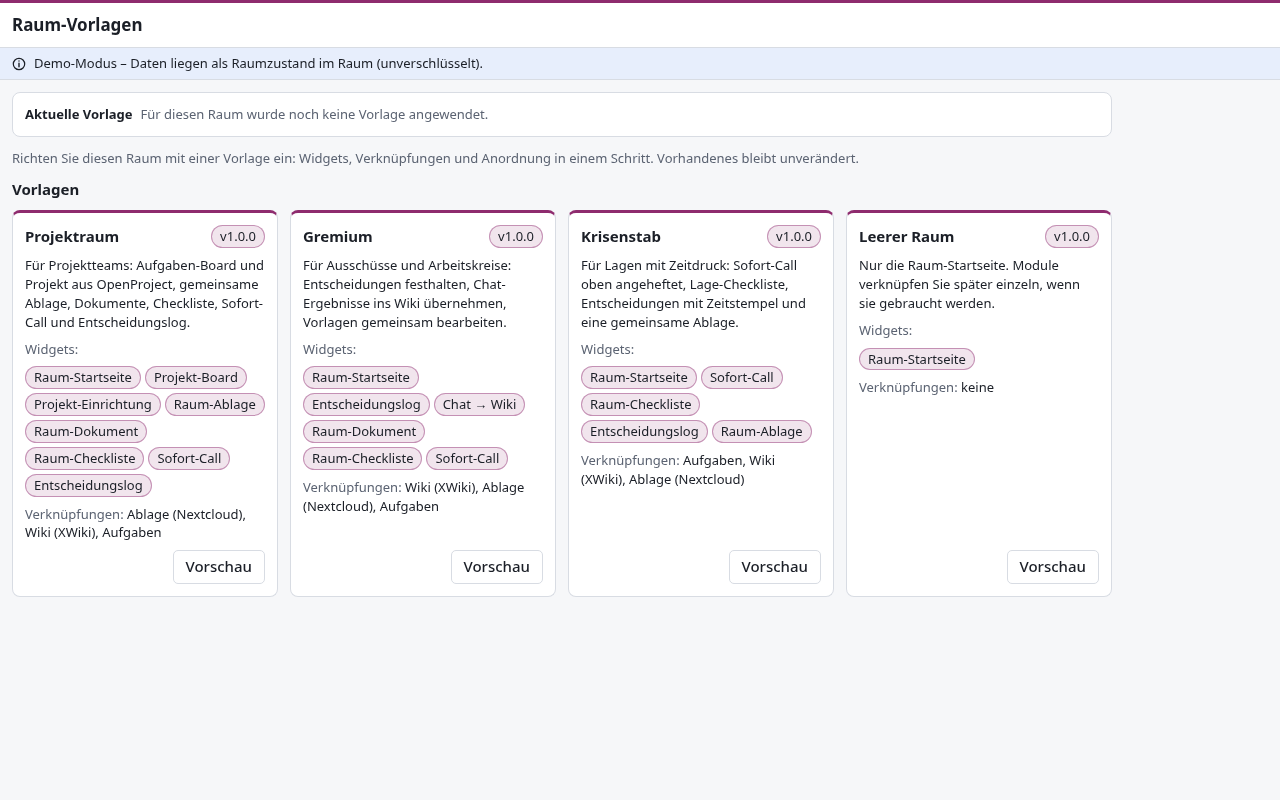
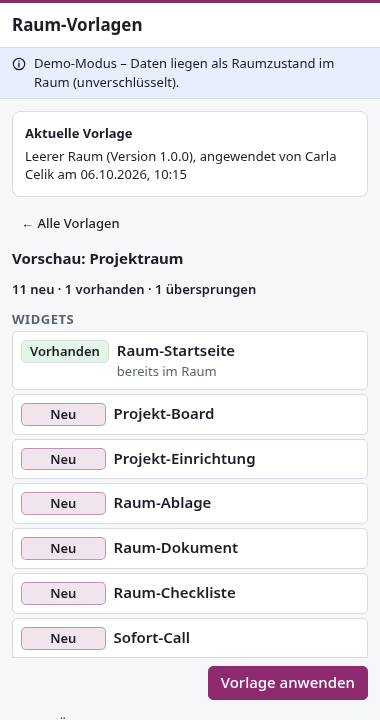
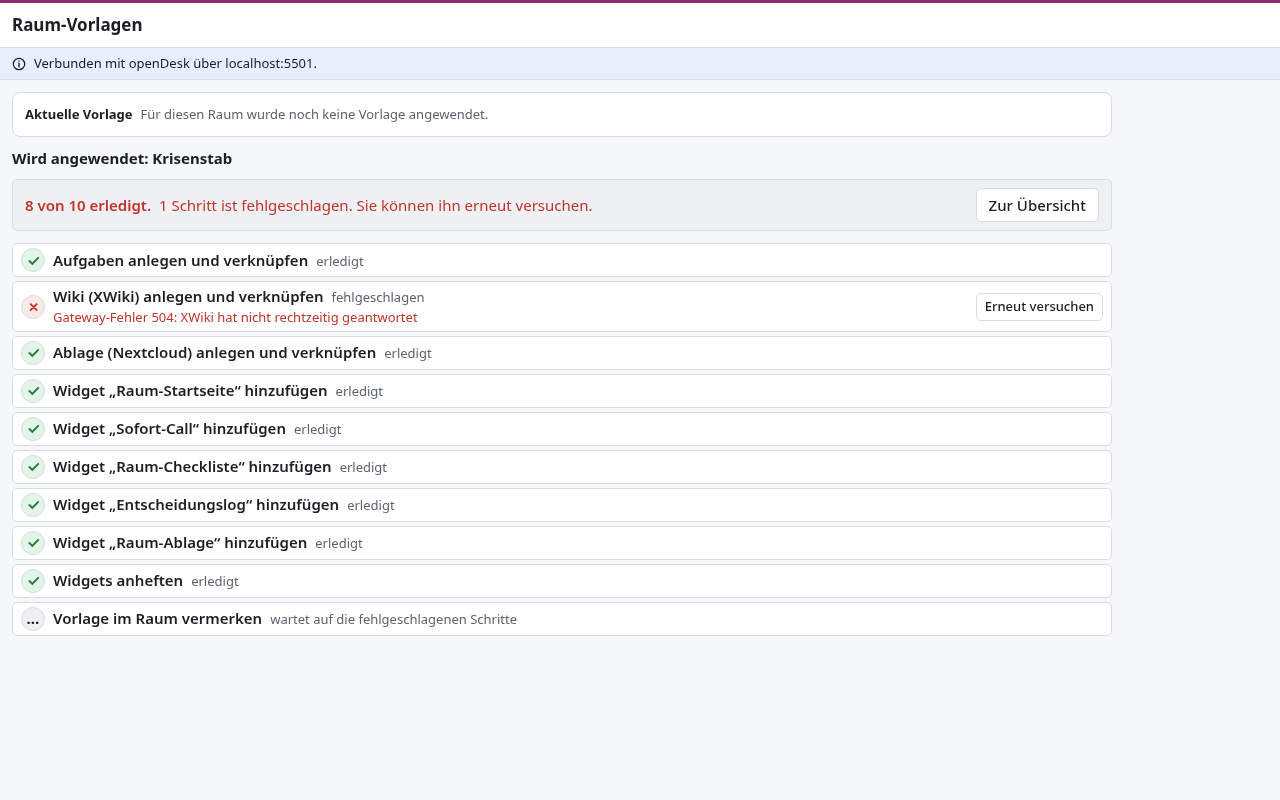
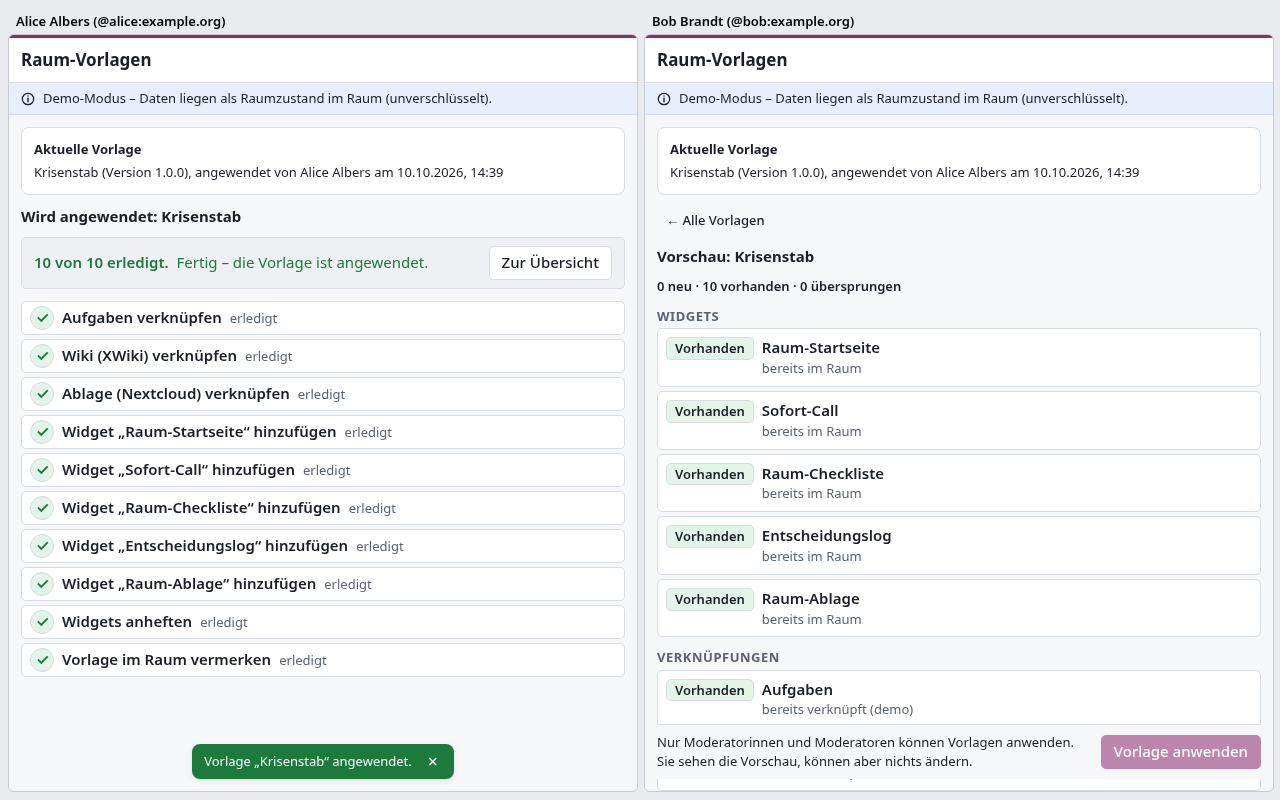
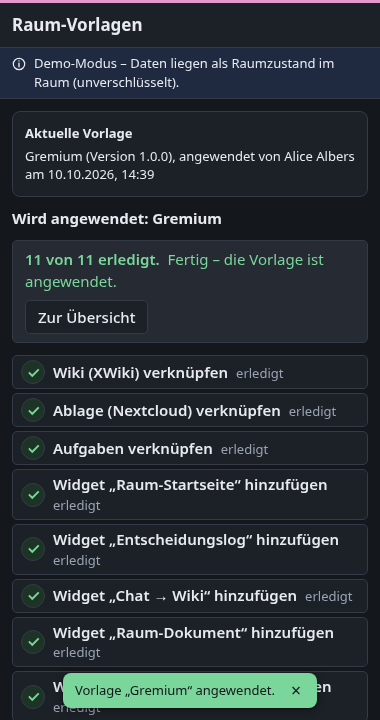
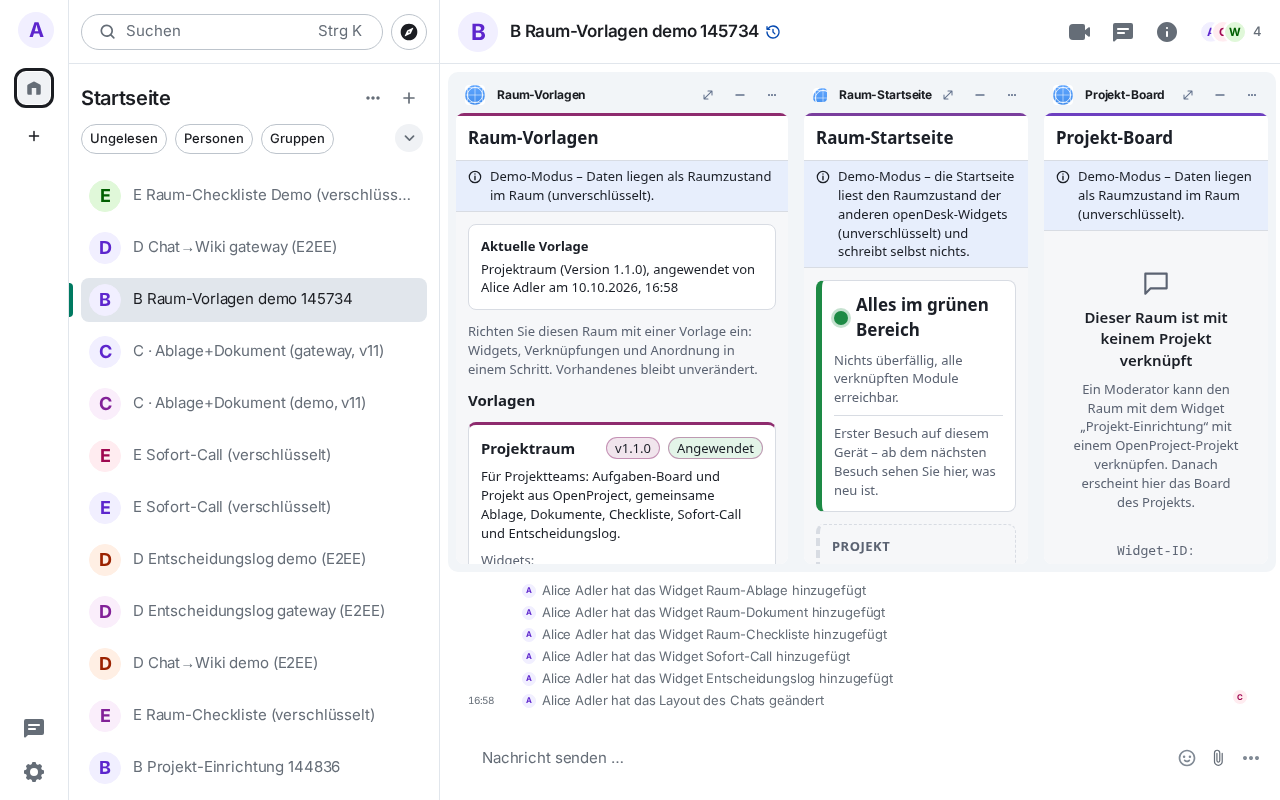
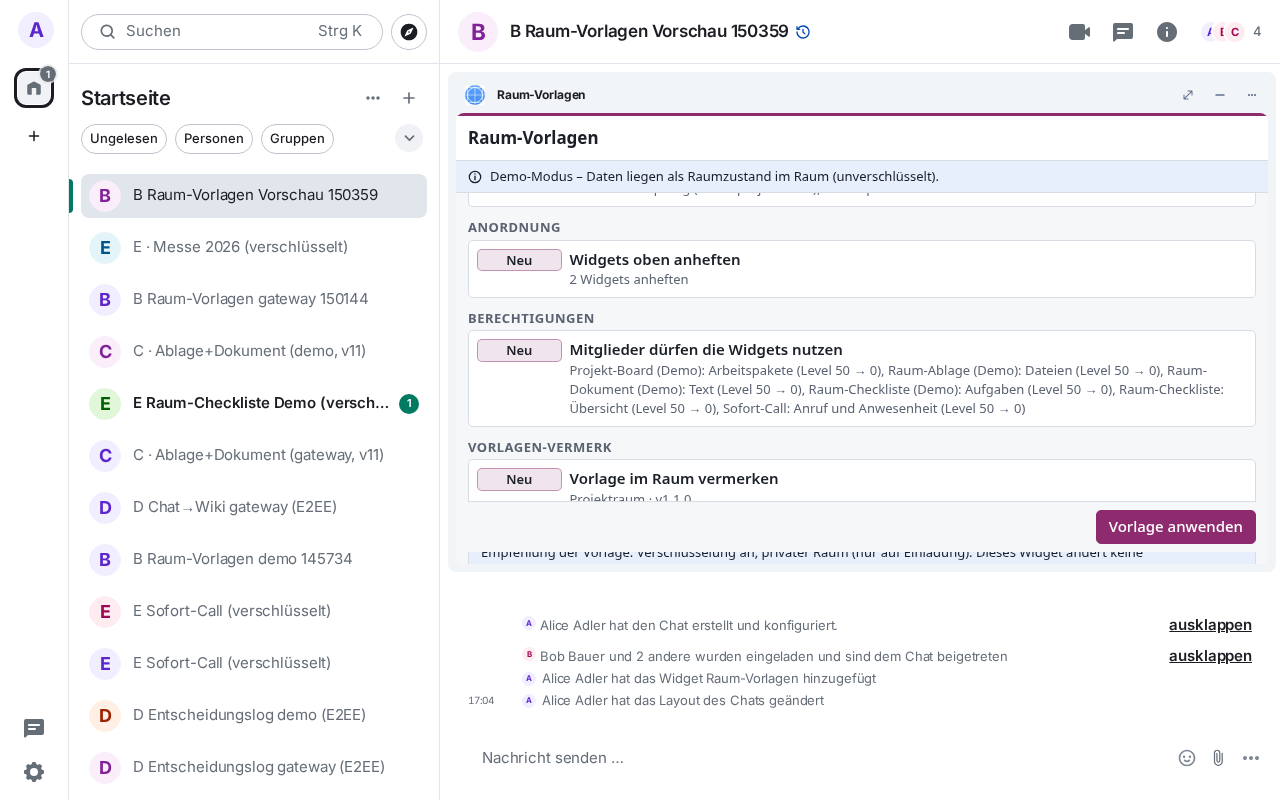
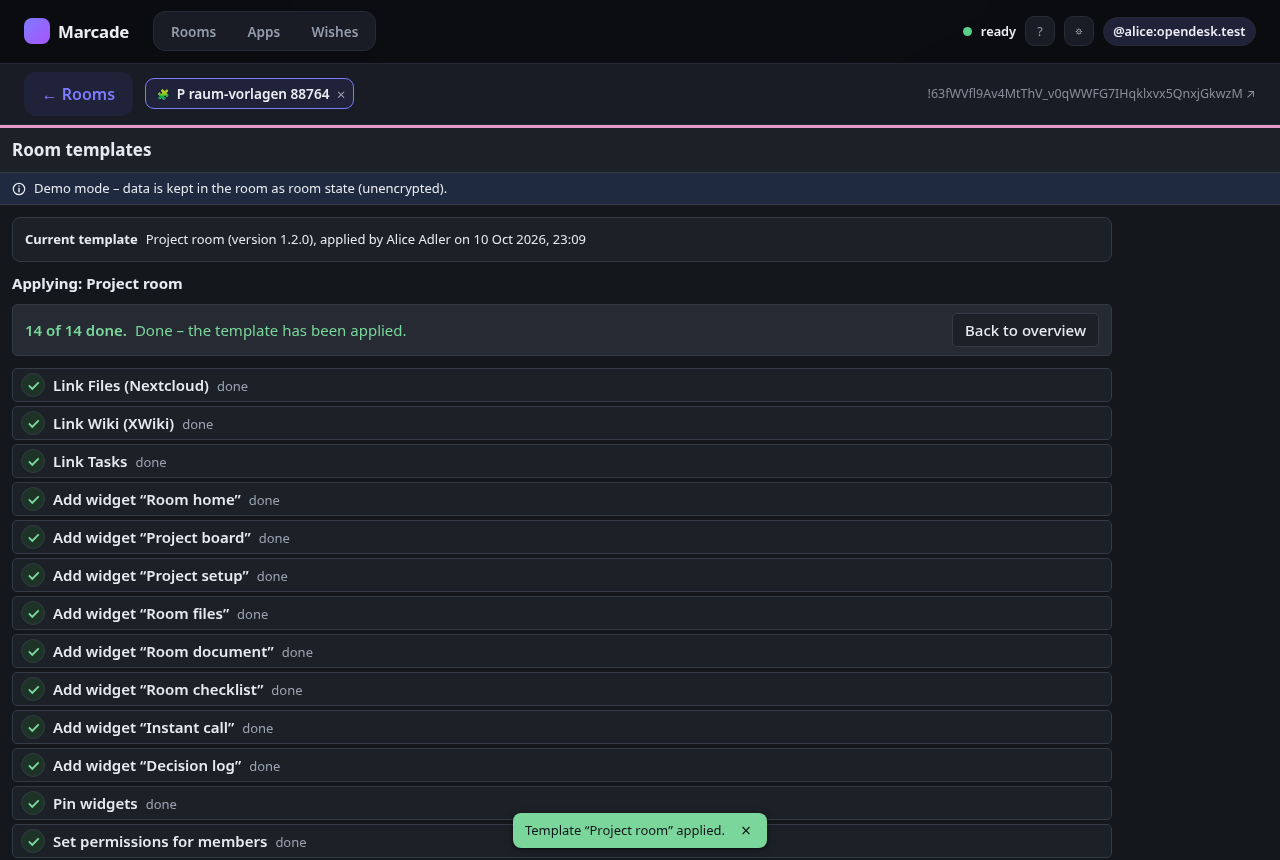
Moderators set up a room in one step from a standard room type – Projektraum, Gremium, Krisenstab or Leerer Raum: the widget adds the openDesk widgets the template lists, links the room to its file share, wiki space and task list, and pins the most important widgets. A preview shows beforehand what will be added, what is already there and what is skipped; the run is a checklist with "retry" per step, and applying twice never creates duplicates. Unofficial technology demonstration of the openDesk × Matrix widgets integration concept — not a ZenDiS or openDesk product.
What lands in room state. One im.vector.modular.widgets event per added widget (state key
opendesk-<app>, the widget's marcade.store URL and name), the merged io.element.widgets.layout
(pinning), mapping events de.opendesk.openproject / de.opendesk.nextcloud / de.opendesk.xwiki / de.opendesk.tasks
(ids and addresses only, never content or credentials), de.opendesk.room_template (template id
and version, who applied it and when) and – for room admins – m.room.power_levels with the
widgets' own de.opendesk.* data types set to level 0 so that members can use them (nothing else is
changed). Room state is never encrypted, even in an encrypted room,
and is replicated to every server in the room. Existing widgets, links and pins are never
overwritten or removed.
Templates. The four templates are versioned JSON files shipped with the widget. An operator can
publish their own list (new templates or newer versions) at a URL and add templates=<url> to the
widget URL fragment – no code change – and an authority can override that list with
templates_authority=<url> (full templates, JSON merge patches or removals; optional SHA-256 pin);
every template is schema-validated and invalid ones are listed and ignored. Encryption and visibility recommendations are shown, but the widget does not
change room settings.
Modes. On Marcade it runs in demo mode: links point at demo data (demo:). With an
opendesk-widget-gateway URL in the fragment it first creates or links the OpenProject project (Projektraum, copied from an
OpenProject template project), the room folder with subfolders,
the wiki start pages and the task list as the signed-in moderator (the client may ask for permission
to share your identity), then writes the links.
Add to a room
Paste this into any room you may configure — Element and most clients understand /addwidget:
/addwidget https://marcade.store/apps/de.minagawa.opendesk.raum-vorlagen/0.1.0/Works on its own in demo mode. Optional: add `#gateway=https://…` (an opendesk-widget-gateway) to create folders, wiki pages and the task list first, and `templates=https://…` / `templates_authority=https://…` for operator and authority templates.
Rooms should pin the versioned URL above. https://marcade.store/apps/de.minagawa.opendesk.raum-vorlagen/latest/ always points at the newest release.
Name and icon in Element
/addwidget can carry only the URL: Element lists the app as “Custom” without an icon. Add the Marcade Store once per room and it gives every Marcade app pasted in there its name and icon, and tells you when an update is out.
/addwidget https://marcade.store/apps/de.minagawa.marcade-store/0.1.4/Permissions
Capabilities this widget may request. The Marcade Player asks for your consent before granting any of them.
- Read room state events of type “im.vector.modular.widgets”
org.matrix.msc2762.receive.state_event:im.vector.modular.widgets - Send room state events of type “im.vector.modular.widgets”
org.matrix.msc2762.send.state_event:im.vector.modular.widgets - Read room state events of type “io.element.widgets.layout”
org.matrix.msc2762.receive.state_event:io.element.widgets.layout - Send room state events of type “io.element.widgets.layout”
org.matrix.msc2762.send.state_event:io.element.widgets.layout - Read room state events of type “de.opendesk.room_template”
org.matrix.msc2762.receive.state_event:de.opendesk.room_template - Send room state events of type “de.opendesk.room_template”
org.matrix.msc2762.send.state_event:de.opendesk.room_template - Read room state events of type “m.room.power_levels”
org.matrix.msc2762.receive.state_event:m.room.power_levels - Send room state events of type “m.room.power_levels”
org.matrix.msc2762.send.state_event:m.room.power_levels - Read room state events of type “m.room.create”
org.matrix.msc2762.receive.state_event:m.room.create - Requires running inside a Matrix client
io.element.requires_client - Read room state events of type “de.opendesk.openproject”
org.matrix.msc2762.receive.state_event:de.opendesk.openproject - Send room state events of type “de.opendesk.openproject”
org.matrix.msc2762.send.state_event:de.opendesk.openproject - Read room state events of type “de.opendesk.nextcloud”
org.matrix.msc2762.receive.state_event:de.opendesk.nextcloud - Send room state events of type “de.opendesk.nextcloud”
org.matrix.msc2762.send.state_event:de.opendesk.nextcloud - Read room state events of type “de.opendesk.xwiki”
org.matrix.msc2762.receive.state_event:de.opendesk.xwiki - Send room state events of type “de.opendesk.xwiki”
org.matrix.msc2762.send.state_event:de.opendesk.xwiki - Read room state events of type “de.opendesk.tasks”
org.matrix.msc2762.receive.state_event:de.opendesk.tasks - Send room state events of type “de.opendesk.tasks”
org.matrix.msc2762.send.state_event:de.opendesk.tasks - Read room state events of type “m.room.member”
org.matrix.msc2762.receive.state_event:m.room.member - Read room state events of type “m.room.name”
org.matrix.msc2762.receive.state_event:m.room.name
What's new in 0.1.0
Erste Version: Vorlagen Projektraum, Gremium, Krisenstab, Leerer Raum als versioniertes JSON (templates=). Vorschau, Checkliste mit „Erneut versuchen“, keine Duplikate. Demo-Modus; Gateway-Modus legt Ordner, Wiki-Seiten, Aufgabenliste an, als Gateway-Auftrag falls verfügbar. DE/EN, hell/dunkel. Schichten: Betreiber, Behörde ($patch/$remove, SHA-256-Pin). Widgets auf Wunsch aktualisieren; Hinweis auf neuere Vorlagen. Projektraum: OpenProject-Projekt anlegen/verknüpfen. Hinweis zum Gateway-Bot.
Information
- Version
- 0.1.0
- Section
- Demo — Technology demonstrations built by Marcade to show what a widget can do. Not for real use — nothing is submitted anywhere.
- License
- Apache-2.0
- Author
- Yan Minagawa
- State event types
im.vector.modular.widgets,io.element.widgets.layout,de.opendesk.room_template,de.opendesk.openproject,de.opendesk.nextcloud,de.opendesk.xwiki,de.opendesk.tasks- Encrypted rooms
- Supported
- Widget ID
de.minagawa.opendesk.raum-vorlagen