
Projekt-Einrichtung
Link a room to an OpenProject project in a guided wizard, without an admin
Screenshots
About this app
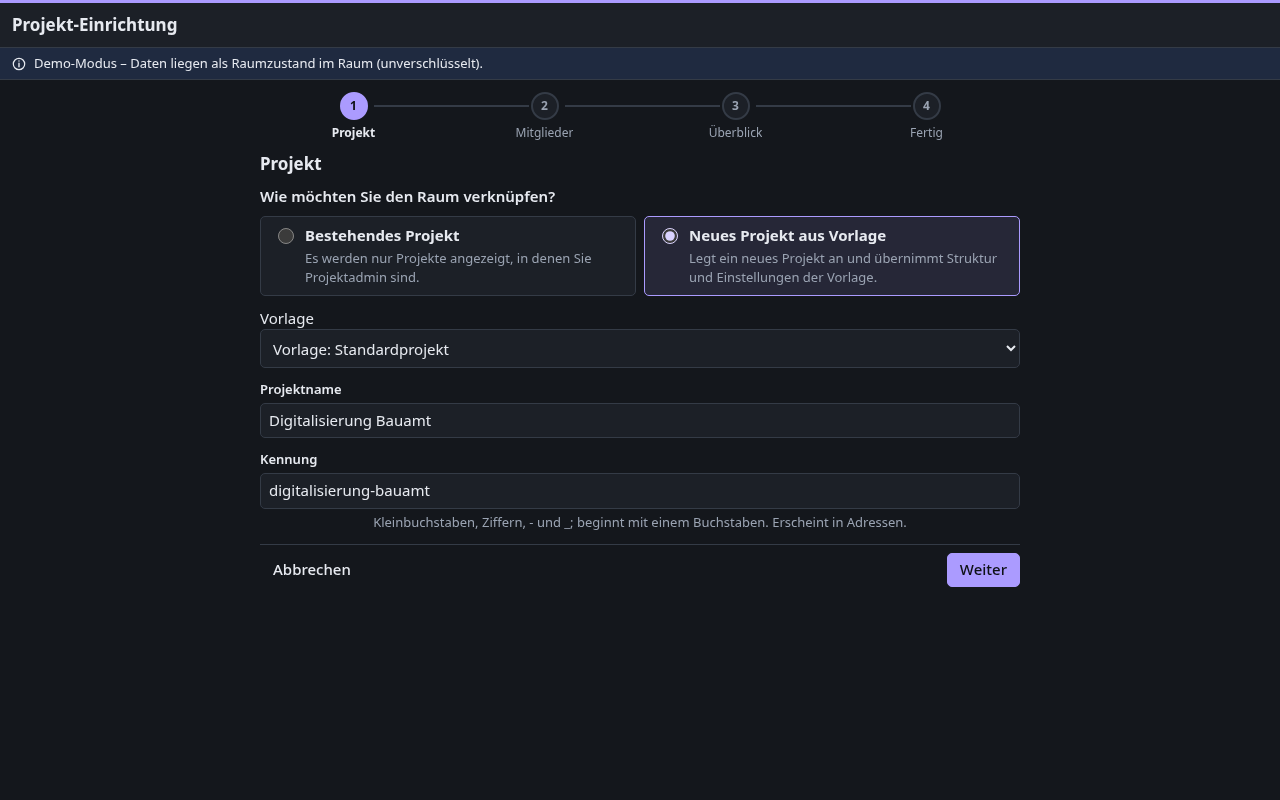
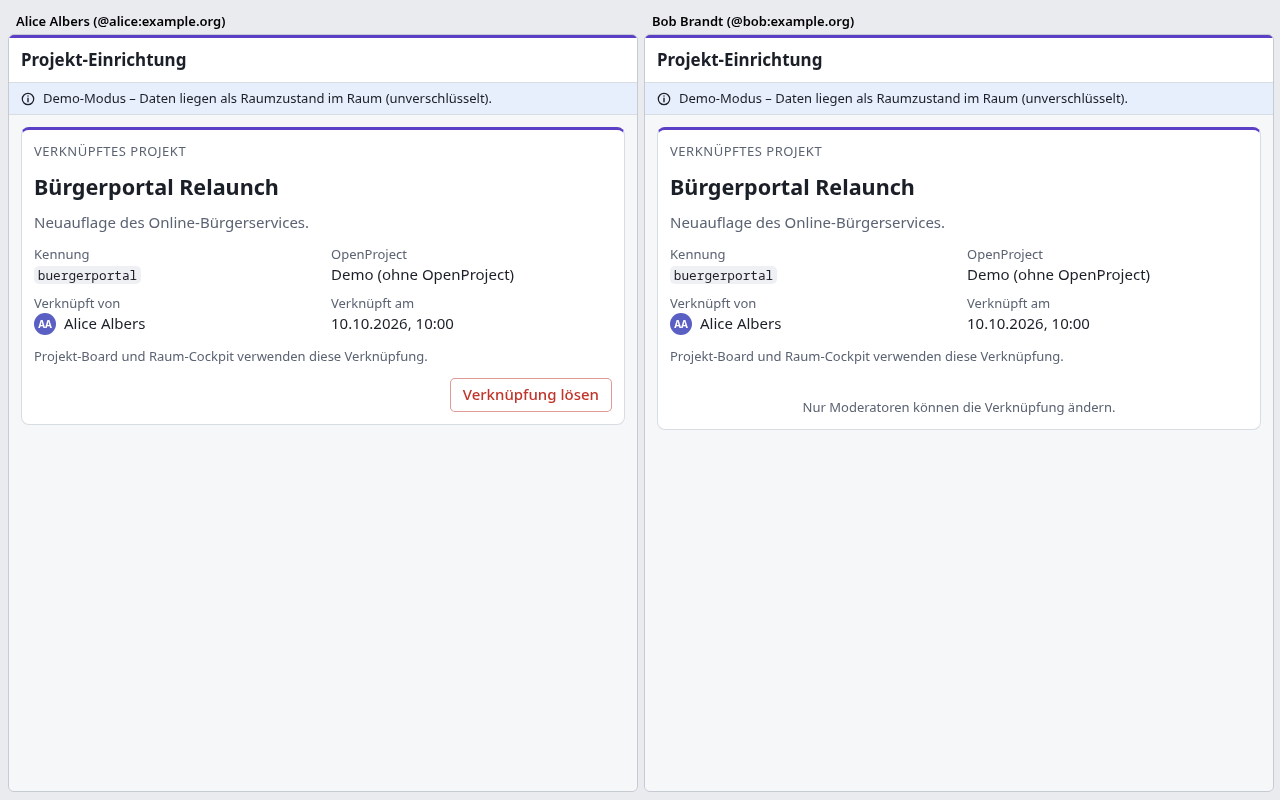
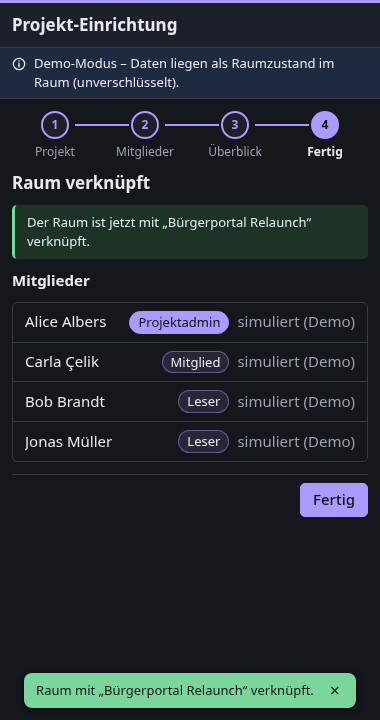
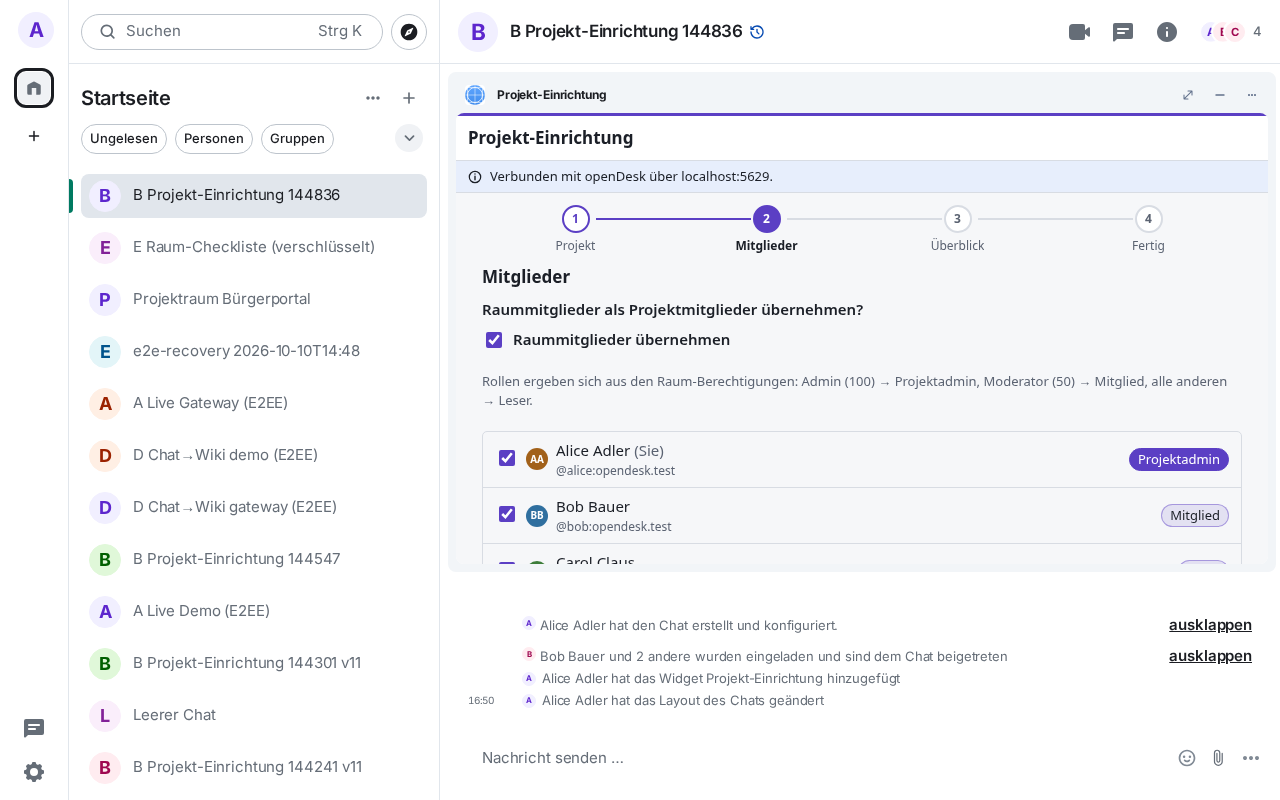
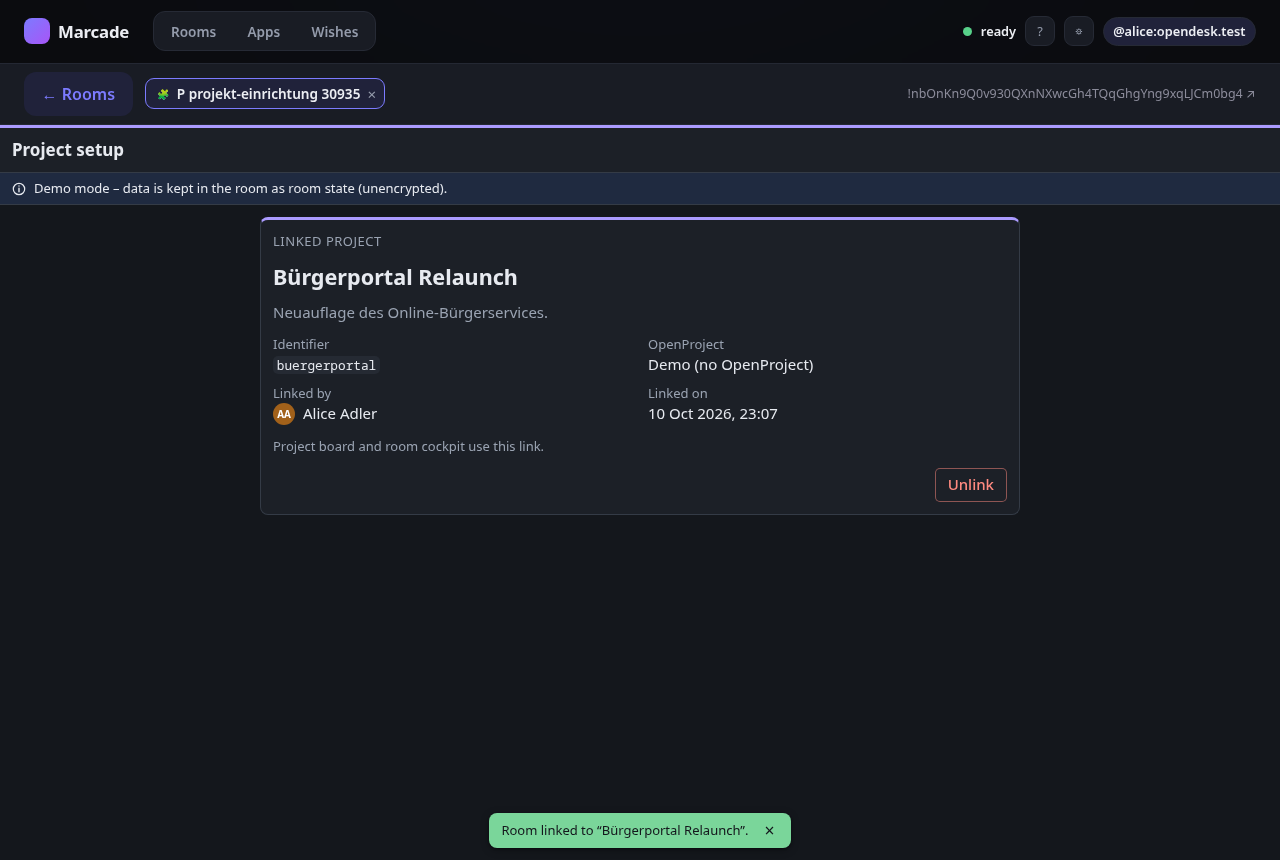
Moderators link the room to an OpenProject project in three steps: pick an existing project
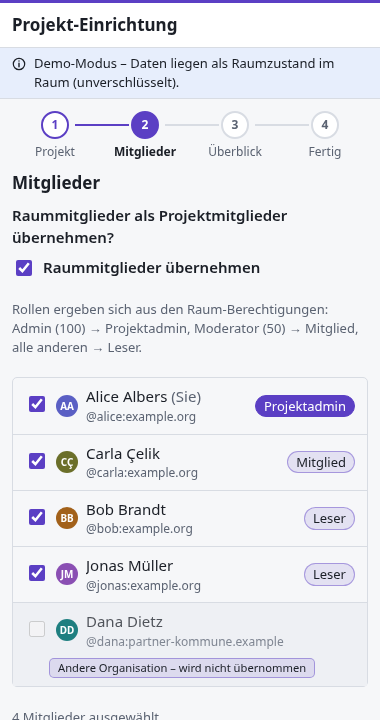
where they are project admin, or create a new one from a template; optionally add the room
members as project members (roles follow the room's power levels; members from other servers
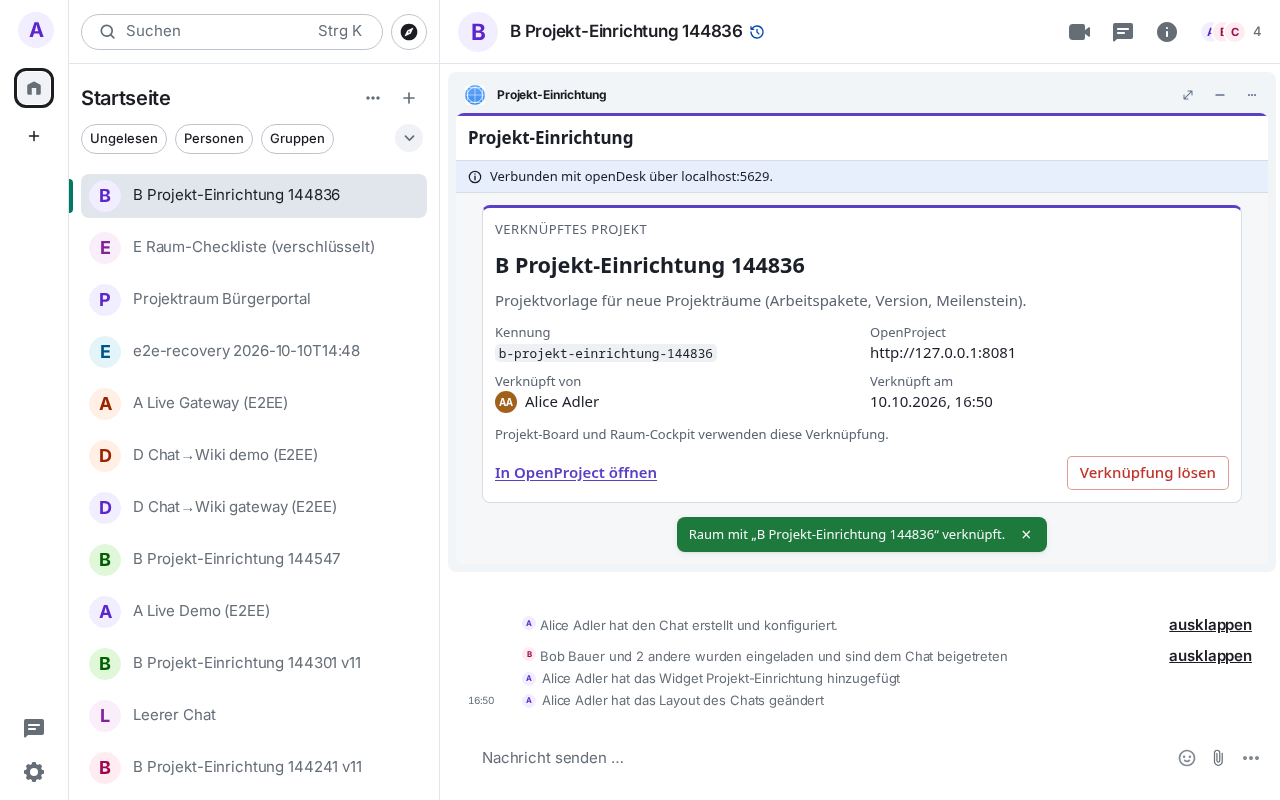
are never added); confirm. The link is stored as the room state event de.opendesk.openproject,
which other openDesk widgets (project board, room cockpit) read. Unofficial technology
demonstration of the openDesk × Matrix widgets integration concept — not a ZenDiS or openDesk product.
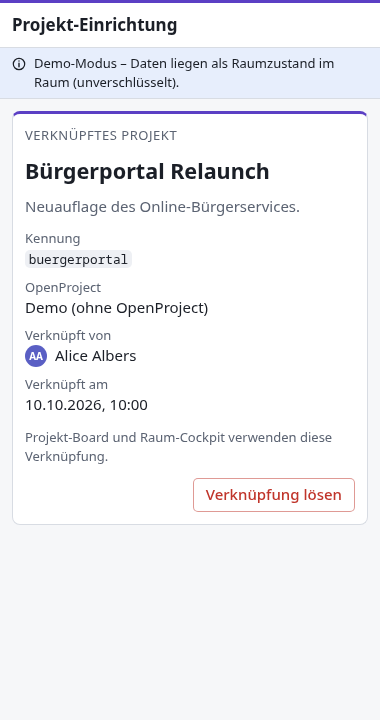
What lands in room state. One event, de.opendesk.openproject (state key ""), with
version, base_url (demo: in demo mode), project_id, project_identifier, linked_by
(Matrix id) and linked_at (timestamp). Room state is never encrypted, even in an encrypted room,
and is replicated to every server in the room. No secrets and no project content are stored.
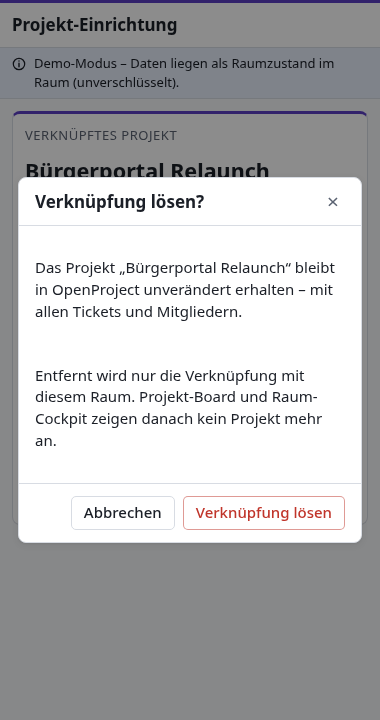
Unlinking writes an empty event: the project itself is never touched. In demo mode only, a project
created in the demo is also stored as de.opendesk.openproject.demo_project (state key = identifier;
name, template description, who/when), so every member and device knows it.
Roles. Room admin (100) → project admin, moderator (50) → member, everyone else → reader. Running the wizard twice never creates a second project: an existing link or an existing project with the same identifier is detected and reused. Non-moderators see a read-only status.
Modes. On Marcade it runs in demo mode with a seeded list of sample projects and templates
(member import is simulated). With an opendesk-widget-gateway URL in the widget URL fragment it
talks to a real OpenProject as the signed-in user (Matrix OpenID token; the client may ask for
permission to share your identity).
Add to a room
Paste this into any room you may configure — Element and most clients understand /addwidget:
/addwidget https://marcade.store/apps/de.minagawa.opendesk.projekt-einrichtung/0.1.0/Works standalone in demo mode. Optional: add `#gateway=https://…` (an opendesk-widget-gateway) to create and link real OpenProject projects as the signed-in user.
Rooms should pin the versioned URL above. https://marcade.store/apps/de.minagawa.opendesk.projekt-einrichtung/latest/ always points at the newest release.
Name and icon in Element
/addwidget can carry only the URL: Element lists the app as “Custom” without an icon. Add the Marcade Store once per room and it gives every Marcade app pasted in there its name and icon, and tells you when an update is out.
/addwidget https://marcade.store/apps/de.minagawa.marcade-store/0.1.4/Permissions
Capabilities this widget may request. The Marcade Player asks for your consent before granting any of them.
- Read room state events of type “de.opendesk.openproject”
org.matrix.msc2762.receive.state_event:de.opendesk.openproject - Send room state events of type “de.opendesk.openproject”
org.matrix.msc2762.send.state_event:de.opendesk.openproject - Read room state events of type “m.room.member”
org.matrix.msc2762.receive.state_event:m.room.member - Read room state events of type “m.room.power_levels”
org.matrix.msc2762.receive.state_event:m.room.power_levels - Read room state events of type “m.room.create”
org.matrix.msc2762.receive.state_event:m.room.create - Read room state events of type “m.room.name”
org.matrix.msc2762.receive.state_event:m.room.name - Read room state events of type “de.opendesk.openproject.demo_project”
org.matrix.msc2762.receive.state_event:de.opendesk.openproject.demo_project - Send room state events of type “de.opendesk.openproject.demo_project”
org.matrix.msc2762.send.state_event:de.opendesk.openproject.demo_project - Read room state events of type “de.opendesk.bot”
org.matrix.msc2762.receive.state_event:de.opendesk.bot - Requires running inside a Matrix client
io.element.requires_client
What's new in 0.1.0
First release: wizard to link the room to an existing OpenProject project or create one from a template, member import with roles from power levels (federated users excluded), idempotent re-runs, "Unlink" that keeps the project, read-only status for non-moderators. Demo mode with sample projects; optional gateway mode. Demo projects are kept in room state so every member and device sees them; the member step says whether the openDesk bot keeps members in sync.
Information
- Version
- 0.1.0
- Section
- Demo — Technology demonstrations built by Marcade to show what a widget can do. Not for real use — nothing is submitted anywhere.
- License
- Apache-2.0
- Author
- Yan Minagawa
- State event types
de.opendesk.openproject,de.opendesk.openproject.demo_project- Encrypted rooms
- Supported
- Widget ID
de.minagawa.opendesk.projekt-einrichtung